Key Features of NexSynaptic – Ultimate Platform
Content Focus
Experimental neural network simulator divided into four interactive sections: Simulator, Spiking, Comparison, and Analytics, each offering a unique perspective on learning and performance.
Supported Architectures
Feedforward, CNN, RNN, Transformer, Spiking Neural Networks (SNN)
Real-Time Visualization
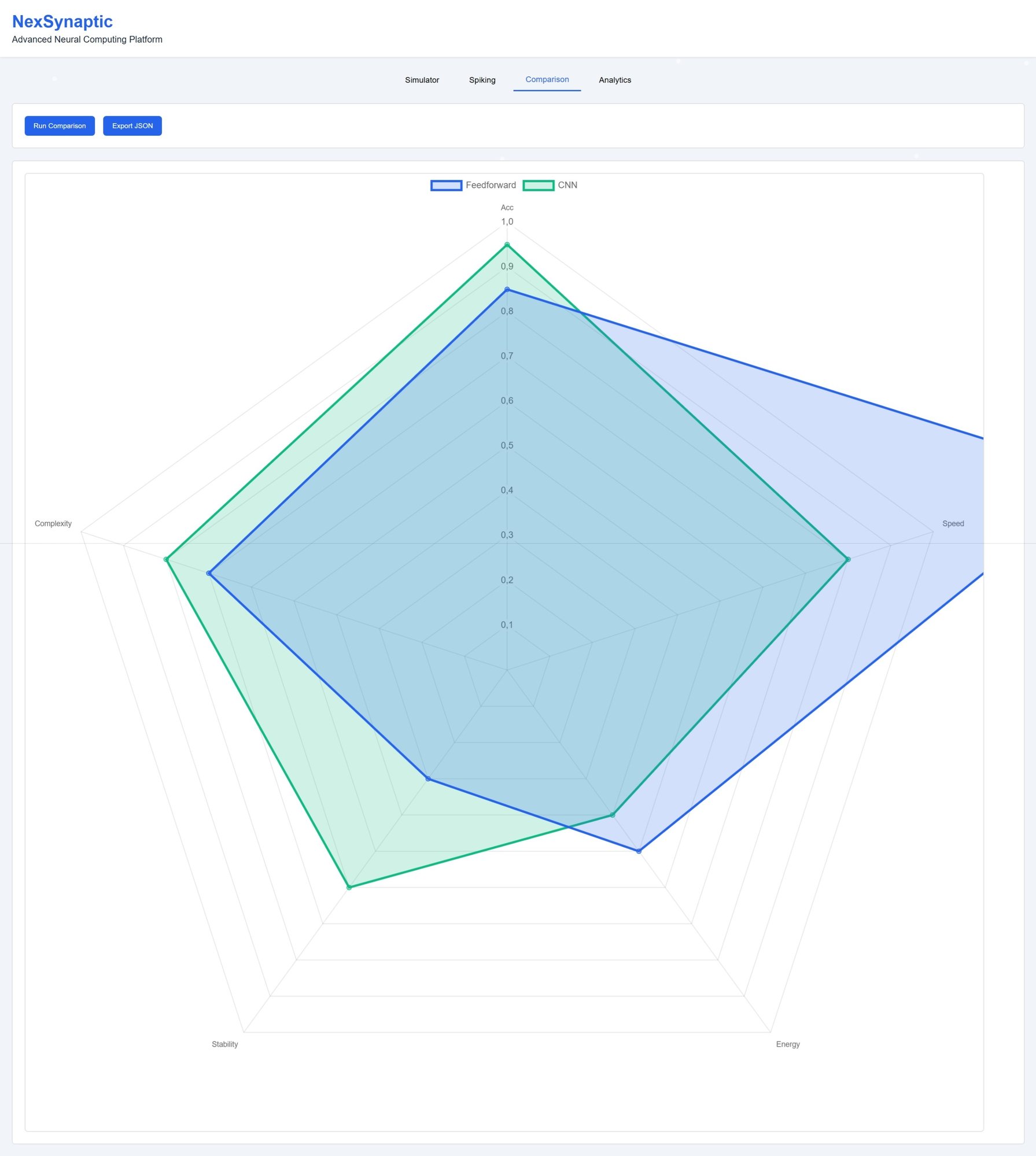
Line charts for loss and accuracy, radar charts for architecture comparison, bar charts for parameter analytics, spike raster and membrane potential plots for spiking models
Interactivity
Intuitive controls: Start, Pause, Reset, with live parameter adjustments (rate, depth, learning rate)
Data Export
One-click JSON export of simulation and comparison results for further analysis and sharing
Technology Stack
Built with Chart.js, tsParticles, HTML5, CSS3, JavaScript
Purpose
Ideal for education, research, and prototyping neural networks; encourages experimentation and simplifies complex AI concepts
Design
Animated backgrounds, themed UI elements, and a seamless “flow” experience guiding users from basic principles to advanced analytics
Why Use NexSynaptic?
- Visual Understanding: Charts and metrics make learning processes easy to follow
- Experimentation: Modify architectures and parameters in real time
- Informed Decisions: Comparisons help choose the best solution for your project
- Education: Interactive approach accelerates learning of complex AI concepts
NexSynaptic is like a school for neural networks guiding you step-by-step from foundational ideas to advanced models. Even without prior knowledge, you can experiment and watch the “brain” of artificial intelligence work in real time.
Case Study:
A European STEM Education Provider Using NexSynaptic
A European STEM education provider integrated NexSynaptic into a short training workshop to give students a clear, practical understanding of how neural networks learn and make decisions. By using the Simulator, Comparison module, and Analytics view, instructors were able to visually demonstrate core AI concepts without requiring advanced technical knowledge. The platform proved highly effective for simplifying complex ideas, supporting ethical AI education, and improving overall engagement during the session.
Results
- 80% of participants reported a clearer understanding of how AI models function
- 89% of participants said visualization significantly improved their learning experience
- Instructors rated the platform as simple, intuitive, and effective for teaching
- The organization decided to continue using NexSynaptic in future STEM workshops.
.jpeg?width=2872&height=1873&name=platform.nexsynaptic.simulator%20(2).jpeg)